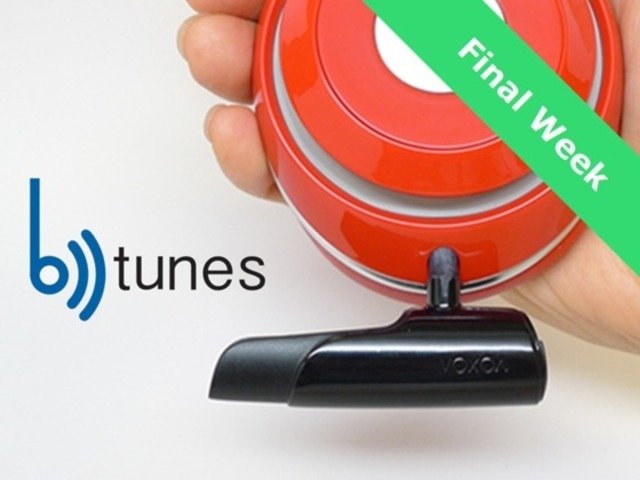
Are headphones in the rewards?
Only the BTunes plugs are in the rewards. The headphones are not part of the rewards. The BTunes is to bluetoothify your own favorite headphones. Love your headphones, make them wireless with the BTunes. Last updated: Sat, Nov 22 2014 3:23 pm EST
How to operate the BTunes?
The BTunes has only one button at its end below the micro USB charging port. When plugged into your headphones, you can hear a voice prompt after each operation, for example, “power is on”, “device is connected”, “power is off” … All the operations are context sensitive Power on (when power is off): press & hold the button for 4 seconds. It will search and connect with the most recent previously connected devices. If all of the previous devices are out of range, or their bluetooth is turned off, the BTunes will go to standby state. Power off (when power is on): press & hold the button for 4 seconds. Pairing (manual & power is off): press & hold the button for 7 seconds. Do not release the button at second 4, keep holding the button until you hear “pairing…”. Pairing (NFC): refer to your NFC equipped device for instructions. Generally, just tap your device on the BTunes, and follow the instruction on your device’s screen. In this case, you don’t have to plug the BTunes to your headphones. Answer phone call (on and connected): when hearing a call coming, a quick press picks up the call on the BTunes. Or pick it up on your phone, and then direct to bluetooth or speaker. Reject a call: press and hold for 2 seconds. Or reject it on your phone. Mute: (on and connected): two quick presses. Play music (on and connected): one quick press. Pause music (music is on): one quick presses. Next track (music is on): two quick presses. Previous track (music is on): one long press (2 seconds) Siri/Google Now (on and connected): initiate it from your device. Last updated: Sat, Dec 27 2014 1:34 am EST
What battery is used in BTunes?
The battery is Li-ion, 190mAh, and is capable of streaming wireless hifi music (or talk) up to 10 hours. The battery will retain 80% capacity after minimum 300 full duty cycles of charging. Last updated: Fri, Dec 19 2014 2:38 am EST
Who did your video?
Your Media 2. www.yourmedia2.com Last updated: Fri, Dec 19 2014 2:38 am EST
What is BackerKit?
BackerKit is a service that crowdfunded project creators use to keep track of hundreds to tens of thousands of backers—from shipping details, pledge levels, preferences and quantities, whether they have paid or had their card declined, special notes, and everything in between!
The BackerKit software and support team is independent from the campaign’s project team—BackerKit does not handle the actual reward shipping. For more information about the preparation or delivery status of your rewards, please check the project's updates page.
How does BackerKit work?
After the campaign ends, the project creator will send you an email with a unique link to your survey. You can check out a walkthrough of the process here.
I never received my invitation. How do I complete the survey?
The most common reasons for not receiving a survey email is that you may be checking an email inbox different from the email address you used to sign up with Kickstarter, Indiegogo or Tilt Pro account, or it may be caught in your spam filter.
Confirm that the email address you are searching matches the email address tied to your Kickstarter, Indiegogo, or Tilt Pro account. If that doesn’t work, then try checking your spam, junk or promotions folders. You can also search for "backerkit” in your inbox.
To resend the survey to yourself, visit the project page and input the email address associated with your Kickstarter, Indiegogo or Tilt Pro account.
How do I update my shipping address?
BackerKit allows you to update your shipping address until the shipping addresses are locked by the project creator. To update your address, go back to your BackerKit survey by inputting your email here.
When will my order be shipped, charged or locked?
That is handled directly by the project creator. BackerKit functions independently of the project itself, so we do not have control of their physical shipping timeline. If you want to check on the project’s status, we recommend reading over the project's updates page.
I completed the survey, but haven't received my rewards yet. When will they arrive?
As BackerKit does not actually handle any rewards or shipping, the best way to stay updated on the shipping timeline would be to check out the project's updates page.